How the Directed Acyclic Graph (DAG) Determines GPU Compatibility
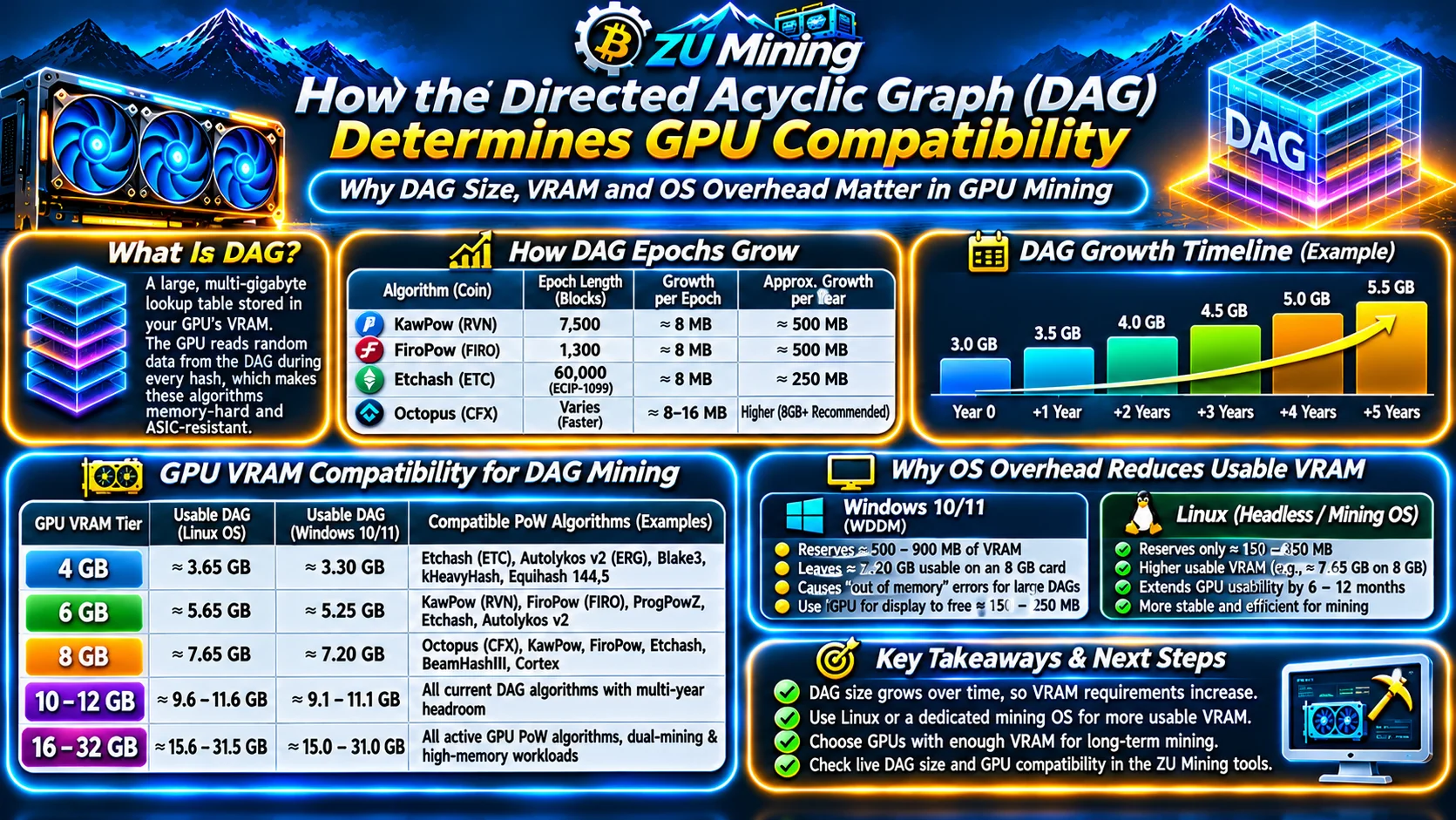
Memory-hard Proof-of-Work algorithms—including Etchash (Ethereum Classic), KawPow (Ravencoin), FiroPow (Firo), Autolykos v2 (Ergo), and Octopus (Conflux)—are engineered to prevent cheap fixed-function ASICs from dominating consensus. They achieve this by requiring every graphics card to generate and hold a multi-gigabyte cryptographic lookup table called a Directed Acyclic Graph (DAG) directly inside high-speed GDDR6/GDDR6X/GDDR7 video memory (VRAM).
During every single hash attempt, the GPU core executes dozens of random 64-byte or 128-byte memory fetches across the entire DAG buffer. If a graphics card does not have enough free physical VRAM to store the current epoch's DAG file in full, it cannot mine that coin.
1. How DAG Epochs Grow Over Time
Unlike fixed-scratchpad algorithms, DAG-based blockchains systematically increase the size of the DAG file every epoch (a fixed number of blocks):
- KawPow (Ravencoin) & FiroPow: Advance to a new epoch every
7,500or1,300blocks, adding approximately8 MBper epoch so the DAG grows steadily by roughly~500 MB per year. - Etchash (Ethereum Classic): Following the Thanos upgrade (ECIP-1099), Etchash doubled its epoch length from
30,000blocks to60,000blocks, slowing DAG growth so 4 GB and 6 GB GPUs remain usable for a longer horizon. - Octopus (Conflux): Uses a faster DAG growth schedule that requires 8 GB+ GPUs for sustained operation.
| GPU Physical VRAM Tier | Usable DAG Ceiling (Linux OS) | Usable DAG Ceiling (Windows 10/11) | Compatible Proof-of-Work Algorithms |
|---|---|---|---|
| 4 GB VRAM (e.g. RX 570 4GB, GTX 1650) | ~3.65 GB | ~3.30 GB | Etchash (ETC), Autolykos v2 (ERG), Blake3, kHeavyHash, Equihash 144,5 |
| 6 GB VRAM (e.g. RTX 2060, GTX 1660 Super) | ~5.65 GB | ~5.25 GB | KawPow (RVN), FiroPow (FIRO), ProgPowZ, Etchash, Autolykos v2 |
| 8 GB VRAM (e.g. RTX 3070, RTX 4060 Ti, RX 6600 XT) | ~7.65 GB | ~7.20 GB | Octopus (CFX), KawPow, FiroPow, Etchash, BeamHashIII, Cortex |
| 10 GB – 12 GB VRAM (e.g. RTX 3080, RTX 4070 Super) | 9.6 GB – 11.6 GB | 9.1 GB – 11.1 GB | All current DAG algorithms with multi-year epoch headroom |
| 16 GB – 32 GB VRAM (e.g. RTX 4090, RTX 5090, RX 7900 XTX) | 15.6 GB – 31.5 GB | 15.0 GB – 31.0 GB | All active GPU PoW algorithms, dual-mining & high-memory workloads |
Why Operating System Overhead Reduces Usable VRAM
2. Linux Mining OS vs. Windows WDDM Display Reservation
A common frustration for beginners is seeing an out of memory or clCreateBuffer (-61) error when trying to mine a 3.5 GB DAG coin on a 4 GB card or a 5.4 GB DAG coin on a 6 GB card in Windows:
- Windows 10/11 (WDDM Driver Model): Automatically pre-allocates
500 MB to 900 MBof VRAM on every GPU for desktop composition and DirectX buffers—leaving only ~7.20 GBusable on an 8 GB card. Connecting your monitor to the motherboard's integrated graphics (iGPU) frees 150–250 MB on GPU #0. - Linux Headless / Dedicated Mining OS: Reserves only
150 MB to 350 MBfor CUDA/OpenCL runtime initialization, extending the productive lifespan of 6 GB and 8 GB GPUs by 6 to 12 months.
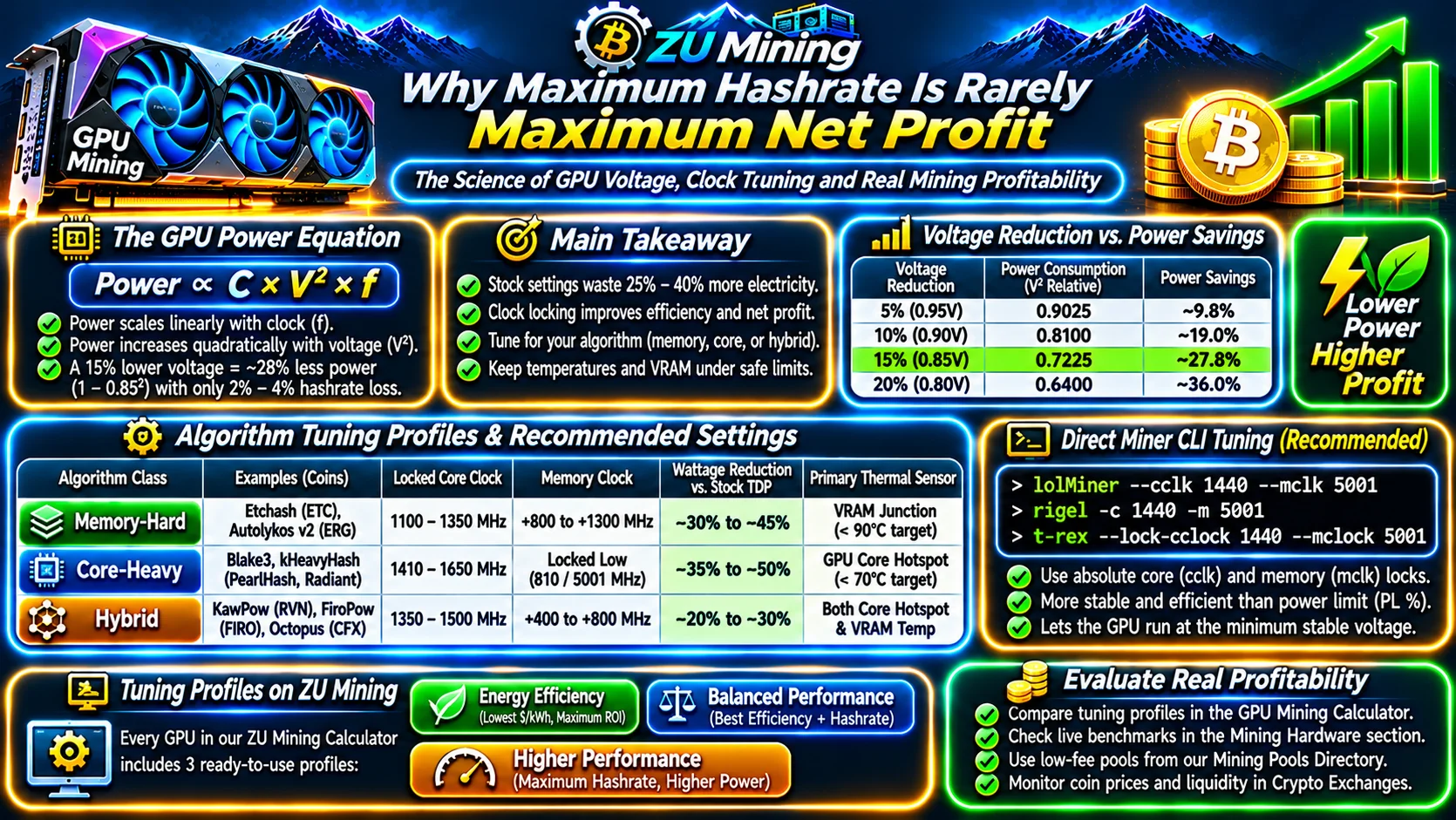
When you select any graphics card in the ZU Mining GPU Profitability Calculator or inspect benchmarks in our Mining Hardware & Smart Rig Builder, our engine automatically compares the card's physical VRAM against live DAG requirements across all 92 coins in the Mineable Coins Directory. For tuning memory clocks once your DAG loads, see our GPU Undervolting & Memory Tuning Guide, download verified clients from the Mining Software Directory, and connect to low-latency servers in our Mining Pools Directory.